Add or change trusted contacts
Trusted contacts get your SOS text and location. They don’t need the Empuan app, just a phone that gets texts.
2 min read Updated 27 October 2026
Steps
1
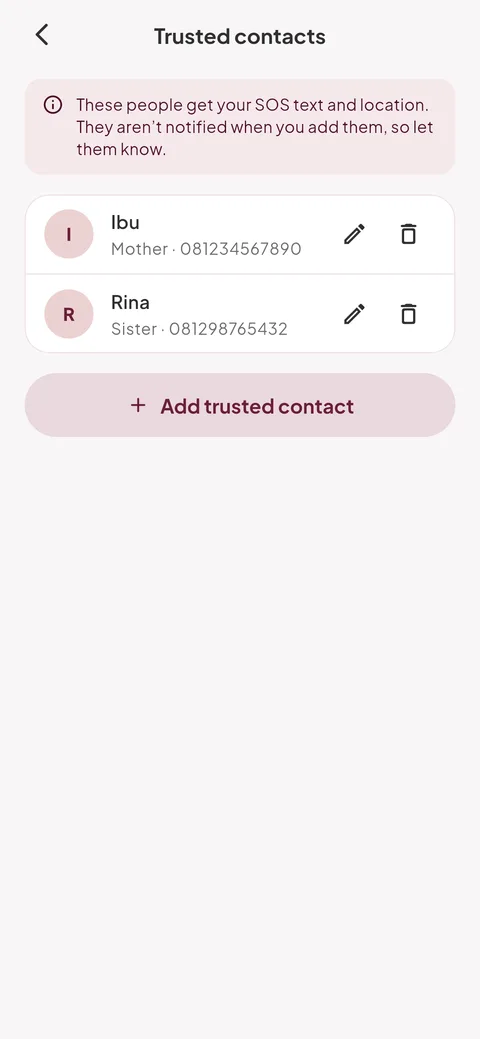
Open your trusted contacts
In the Safety tab, tap “Manage” next to Trusted contacts. You can also go to Me › “Trusted contacts”.
2
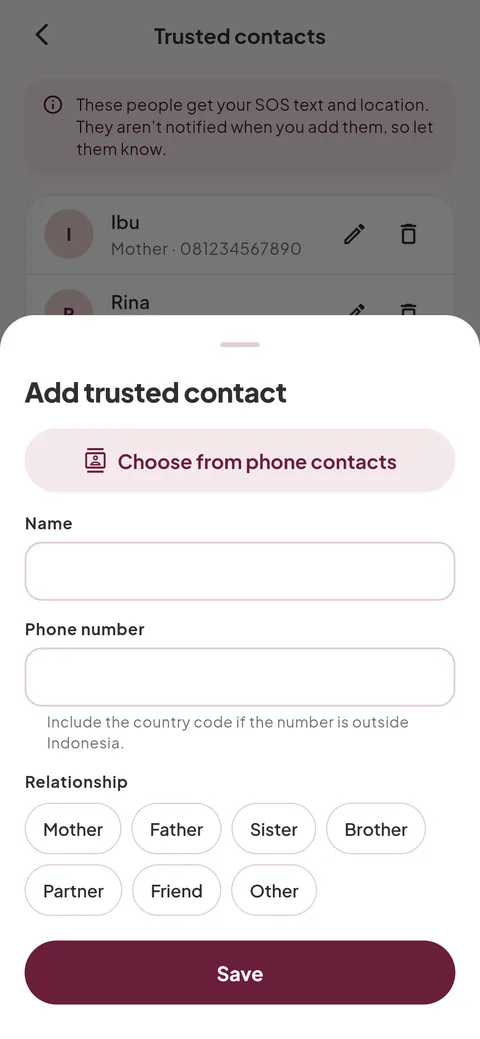
Add someone
Tap “Add trusted contact”. Use “Choose from phone contacts”, or type a name and phone number. Choose the relationship and tap “Save”.
- Include the country code if the number is outside Indonesia.
- Empuan only sees the one contact you pick, never your whole phone book.
3
Edit or remove
Tap the pencil to edit someone, or the bin to remove them. Empuan tells you who will still be alerted before you confirm “Remove”.
4
Tell them
They aren’t notified when you add them. Let them know they might get an SOS from you, and what you’d like them to do.
Empuan doesn’t contact the police. If you’re in danger, call 112.
Thanks, glad it helped.