Send an SOS
SOS texts your trusted contacts a help message with your location. It takes three seconds, and works without internet.
2 min read Updated 27 October 2026
Steps
1
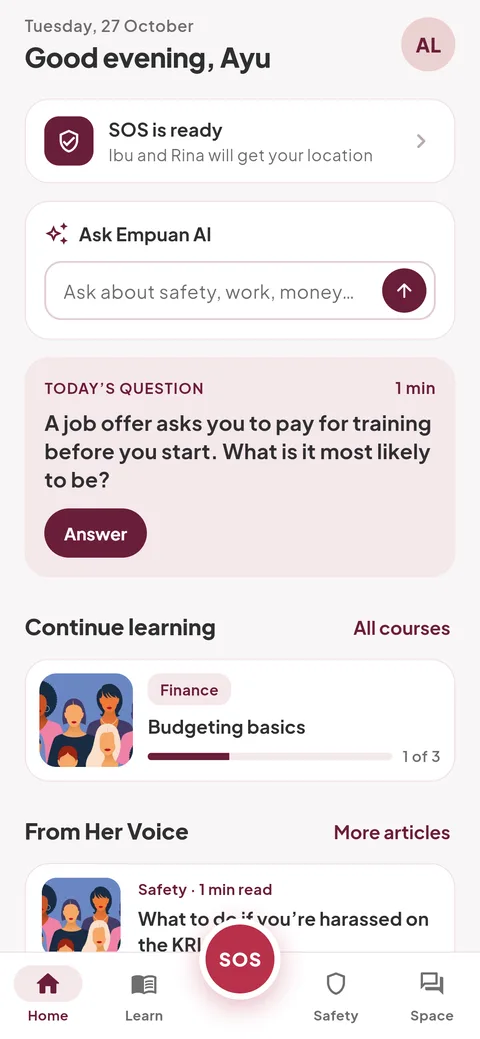
Press and hold SOS for 3 seconds
The red SOS button is in the middle of the tab bar on every screen. A white ring fills and your phone buzzes when it’s done. Let go early to cancel.
- A quick tap does nothing, so it won’t go off in your pocket.
2
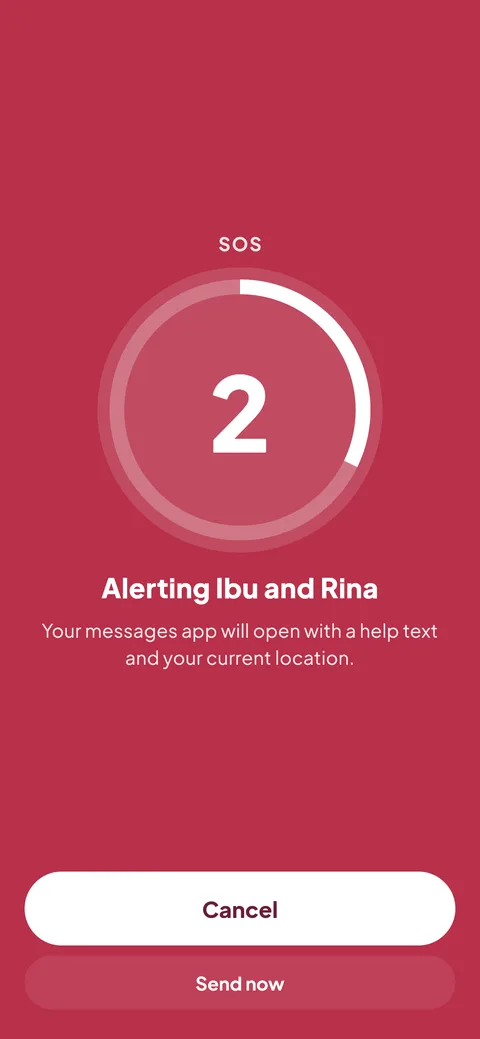
Wait for the countdown, or tap “Send now”
A 3-second countdown shows who will be alerted. Tap “Cancel” if you pressed it by mistake.
3
Tap send in your messages app
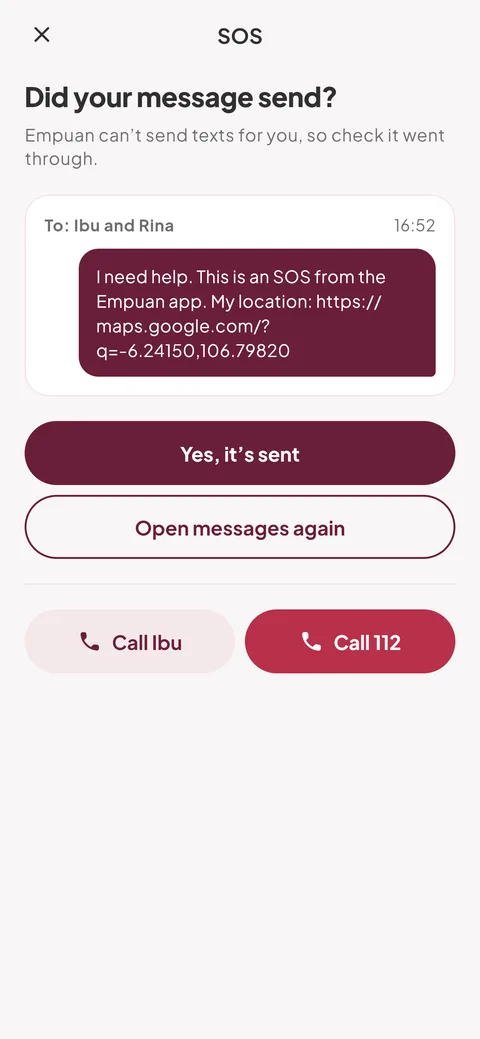
Your messages app opens with the help text and a map link to where you are, addressed to your trusted contacts. Press its send button. Empuan never sends texts by itself.
- Normal SMS rates from your mobile provider apply.
4
Confirm it went
Back in Empuan, tap “Yes, it’s sent”. If it didn’t go, tap “Open messages again”, or call someone straight away with “Call” or “Call 112”.
5
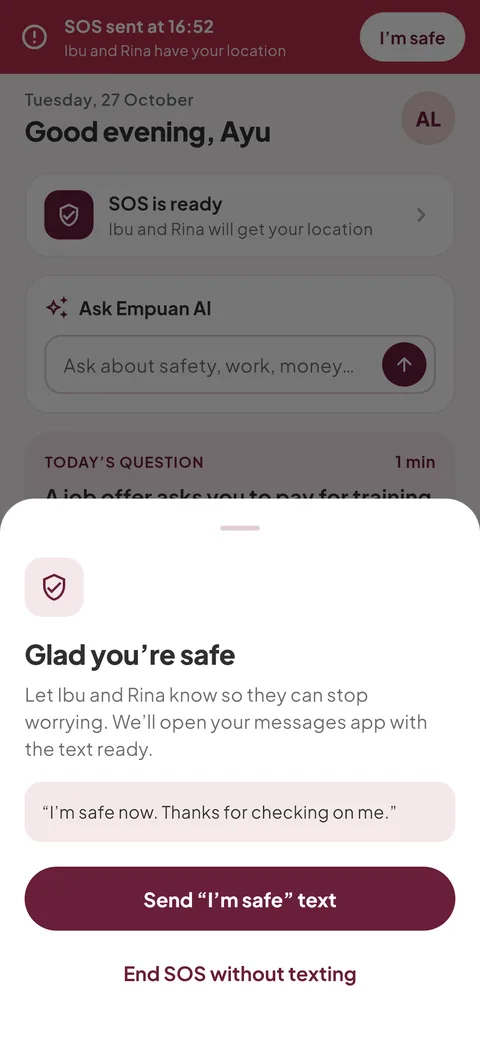
Tap “I’m safe” when it’s over
A red strip stays at the top of the app while the SOS is on. Tap “I’m safe”, then “Send “I’m safe” text” so nobody keeps worrying, or “End SOS without texting”.
Empuan doesn’t contact the police. If you’re in danger, call 112.
Thanks, glad it helped.