Set up a fake call
Your phone rings like a real call, so you have a reason to step away. Nobody is actually called.
2 min read Updated 27 October 2026
Steps
1
Open Fake call
In the Safety tab, tap “Fake call”.
2
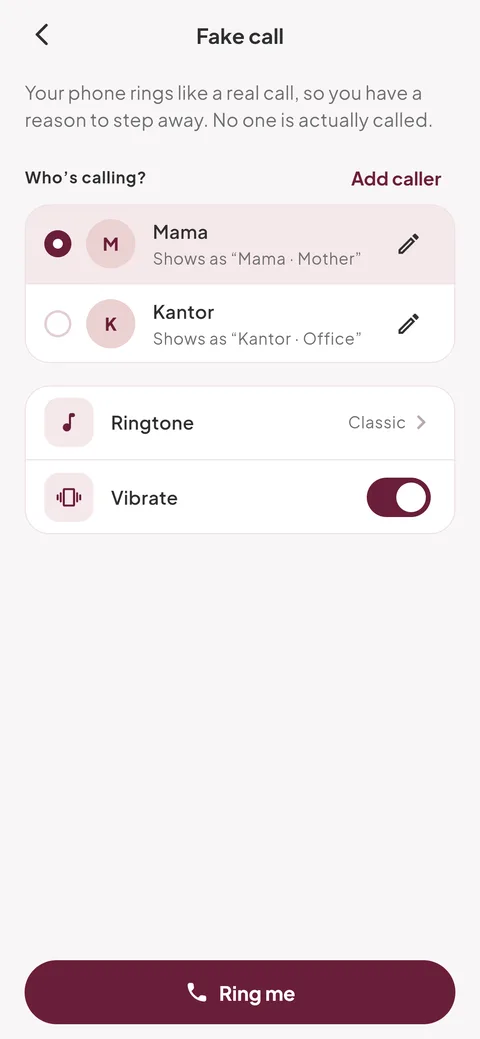
Choose who’s calling
Pick a caller under “Who’s calling?”, or tap “Add caller” and enter the name you want on screen, like Ibu or your boss. Set the ringtone and vibration.
3
Tap “Ring me” and pick when
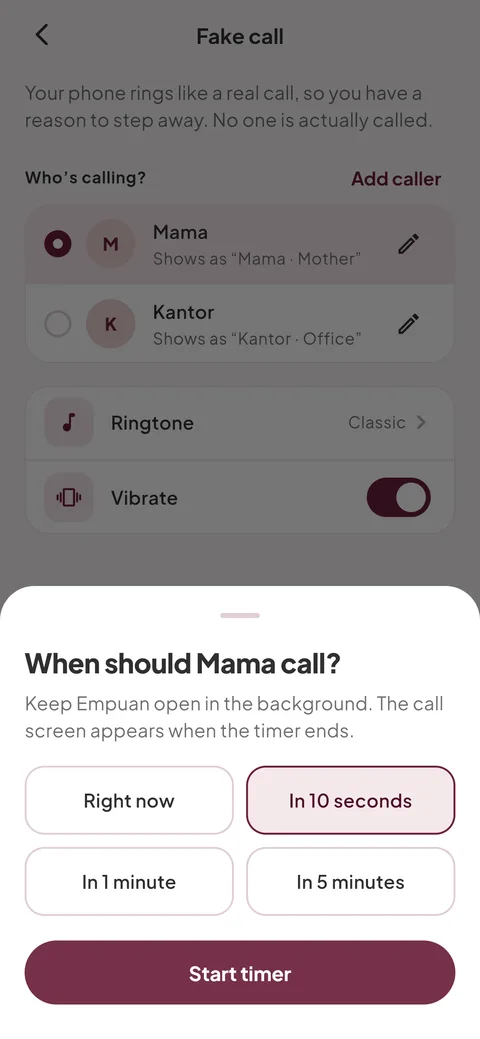
Choose “Right now”, “In 10 seconds”, “In 1 minute” or “In 5 minutes”, then tap “Start timer” (or “Ring now”).
- Keep Empuan open in the background. Leaving the Fake call screen cancels the call.
4
Answer or decline
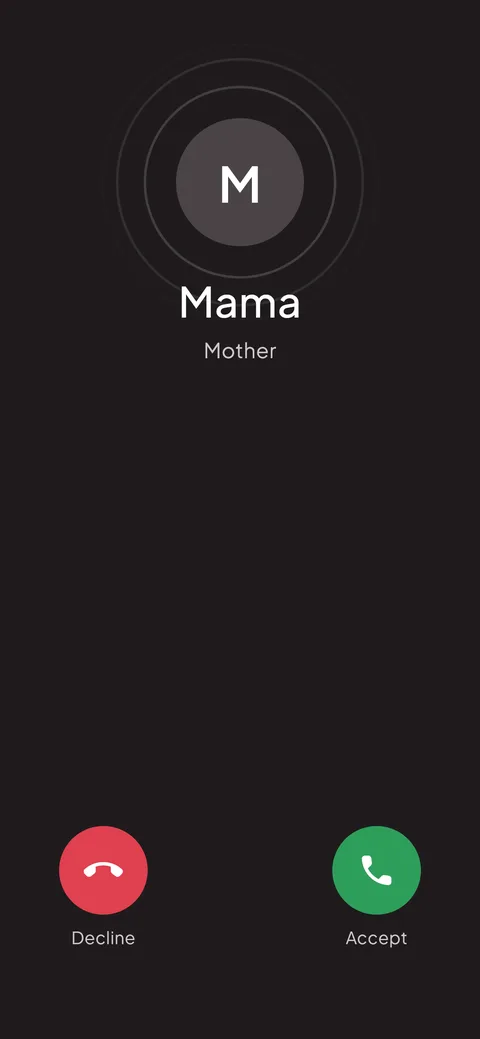
The incoming call screen shows the name and plays the ringtone. Tap “Accept” to see a call in progress, or “Decline”. Tap the red button to end it.
Empuan doesn’t contact the police. If you’re in danger, call 112.
Thanks, glad it helped.