Practise SOS without sending anything
Try the real hold once so you know exactly what it feels like. Practice mode never starts a countdown, a message or a location request.
1 min read Updated 27 October 2026
Steps
1
Start the tour
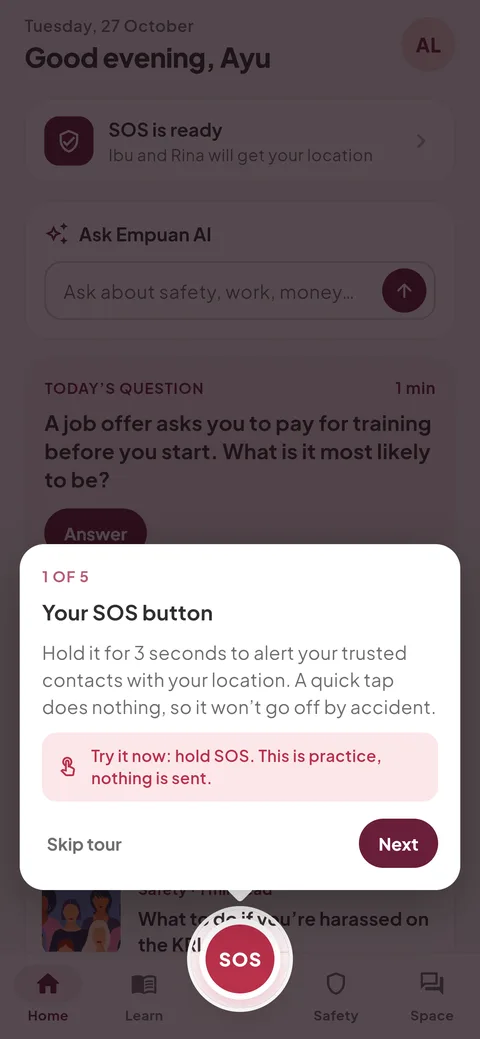
Go to Me › “App tour”. The first step is “Your SOS button”.
2
Hold SOS for 3 seconds
The card says “Try it now: hold SOS. This is practice, nothing is sent.” Hold the button until the ring fills and your phone buzzes.
3
That’s all it takes
The card changes to “That’s all it takes”. When it’s real, the same hold starts the countdown. Tap “Next” to continue the tour, or “Skip tour”.
Empuan doesn’t contact the police. If you’re in danger, call 112.
Thanks, glad it helped.