Create your account
Sign up in four short steps: your login, a bit about you, what you want to learn, and who to alert in an emergency.
3 min read Updated 27 October 2026
Steps
1
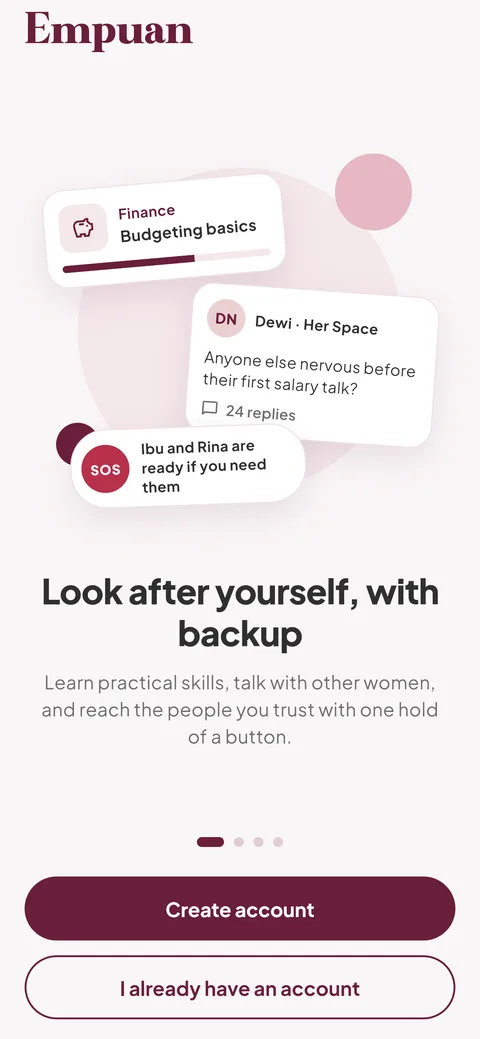
Open Empuan and tap “Create account”
Swipe through the welcome slides if you like, then tap “Create account”. If you already have an account, tap “I already have an account” instead.
2
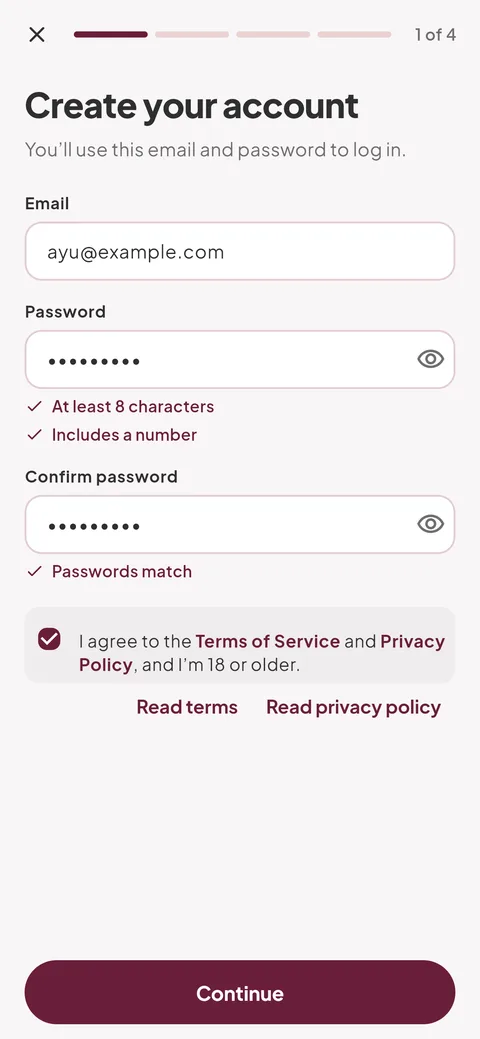
Choose your email and password
Enter your email, then a password with at least 8 characters including a number, and type it again. Tick “I agree to the Terms of Service and Privacy Policy, and I’m 18 or older.” and tap “Continue”.
- Empuan is for adults aged 18 and over.
3
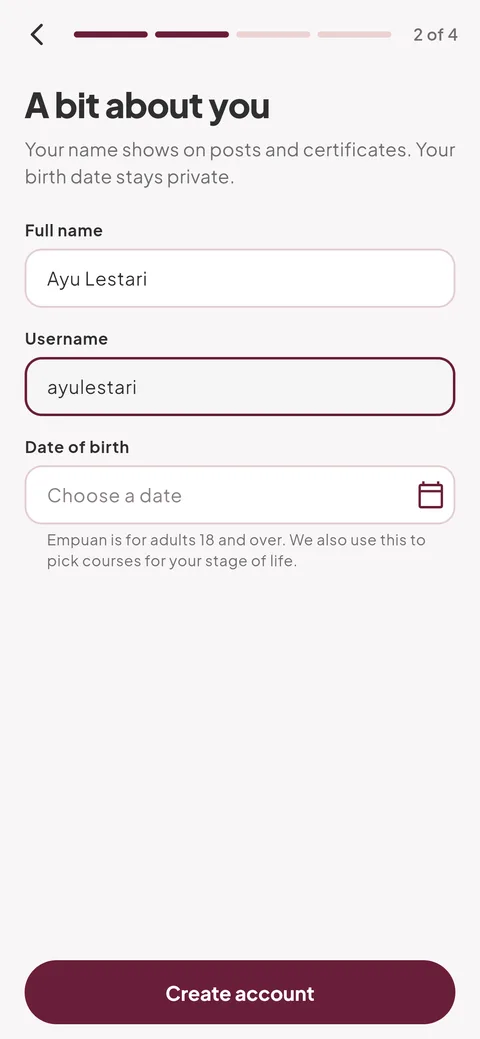
Tell us a bit about you
Enter your full name, a username (letters, numbers, dots or underscores, at least 3 characters) and your date of birth. Tap “Create account”.
- Your name shows on your posts and certificates. Your date of birth stays private.
4
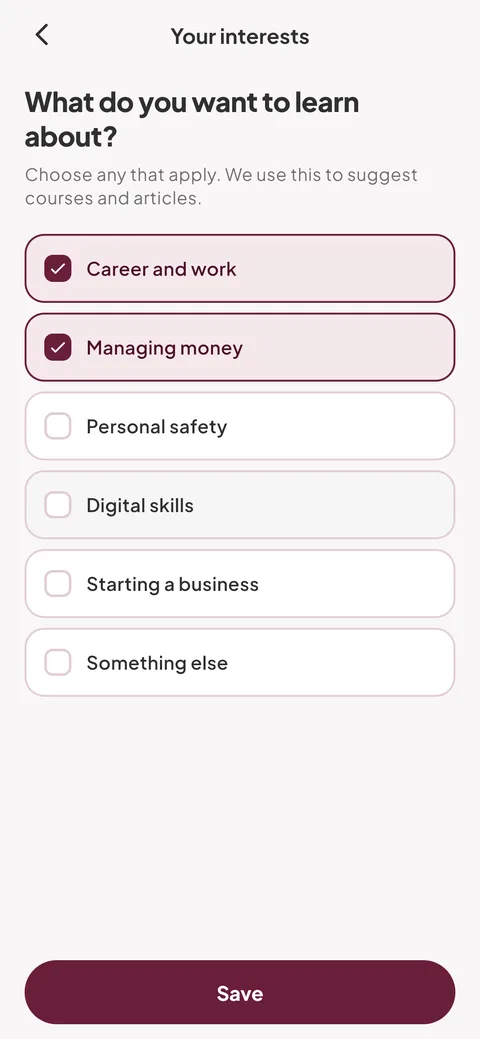
Pick what you want to learn
Choose any topics, such as “Career and work” or “Managing money”, and tap “Continue”. You can also tap “Skip” and change this later in Me › “Your interests”.
5
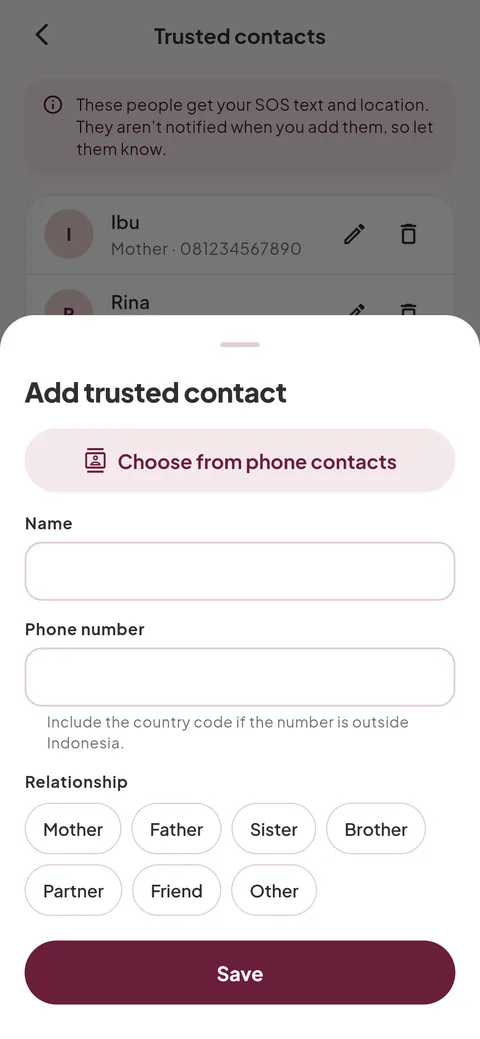
Add someone to alert in an emergency
Tap “Add a trusted contact”, enter their name and number, and tap “Save”. Then tap “Continue”. They aren’t told when you add them, so let them know.
- Add at least two people if you can, in case one doesn’t pick up.
6
Allow location for SOS
Empuan explains how it uses your location. Tap “Continue” and choose “While using the app” when your phone asks, or tap “Not now”.
- Your location is read only when you send SOS. It’s never tracked in the background or stored on our servers.
Empuan doesn’t contact the police. If you’re in danger, call 112.
Thanks, glad it helped.