Set up SOS in two minutes
Three things make SOS ready: a trusted contact, location permission, and one practice hold.
2 min read Updated 27 October 2026
Steps
1
Check if SOS is ready
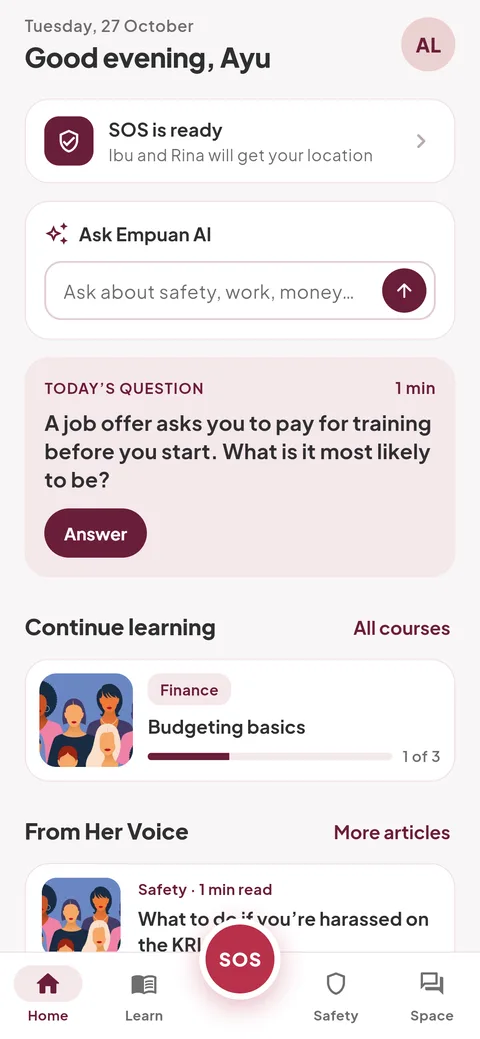
On Home, the first card says “SOS is ready” when you have at least one trusted contact. If it says “SOS can’t reach anyone yet”, tap “Add trusted contact”.
2
Add your trusted contacts
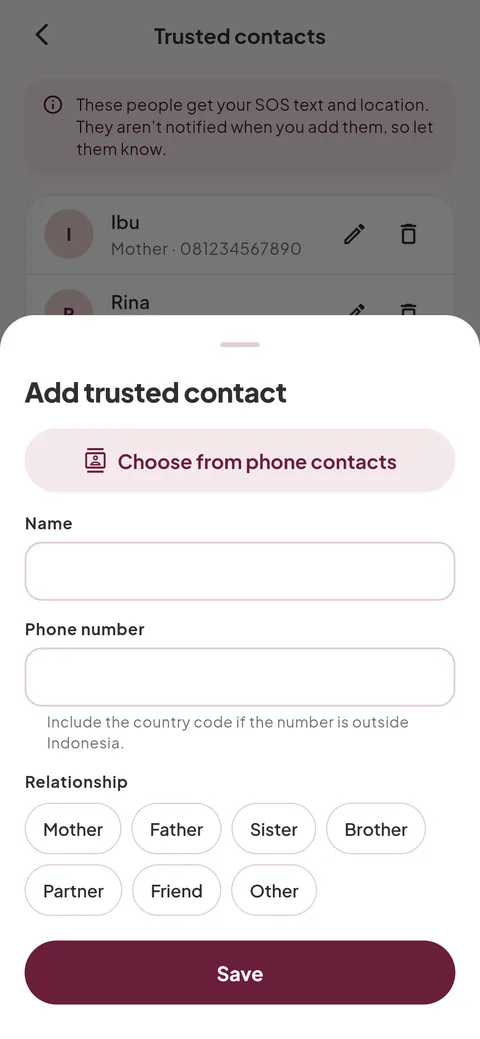
Open the Safety tab and tap “Manage”, then “Add trusted contact”. Pick someone from your phone with “Choose from phone contacts”, or type the name and number, choose the relationship, and tap “Save”.
3
Allow location
The first time you hold SOS, Empuan explains why it needs your location. Tap “Continue” and choose “While using the app”. Without it, the text asks your contacts to call you instead.
4
Practise once
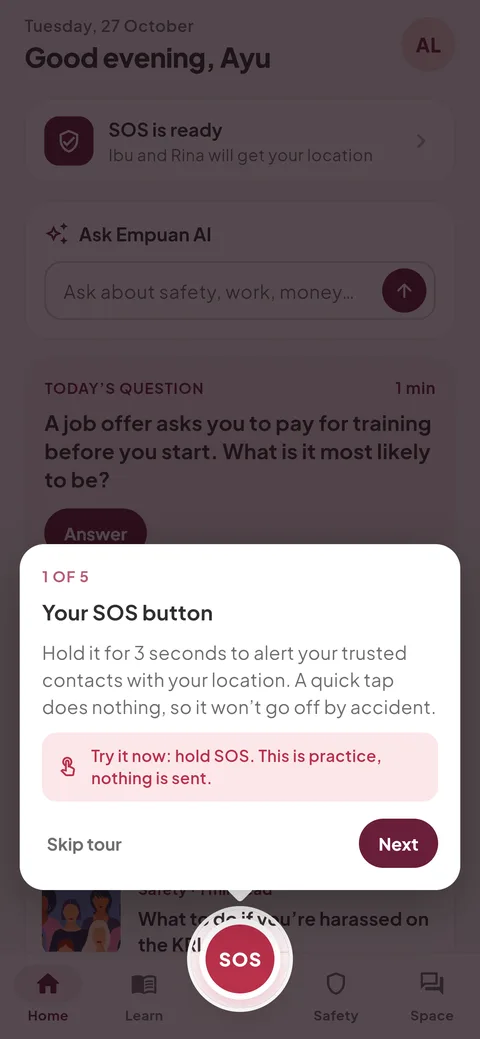
Go to Me › “App tour”. The first step lets you hold SOS for real: the ring fills and your phone buzzes, but nothing is sent.
Empuan doesn’t contact the police. If you’re in danger, call 112.
Thanks, glad it helped.