Use Empuan offline
SOS, emergency numbers, the siren, fake call, and anything you’ve opened before keep working without internet.
2 min read Updated 27 October 2026
Steps
1
See what still works
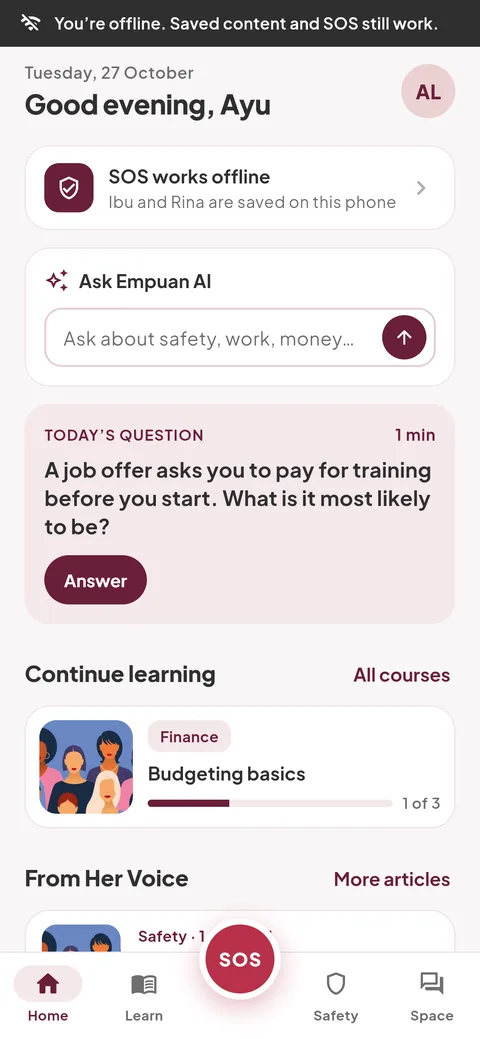
When you’re offline, a dark strip says so at the top. Home shows “SOS works offline”: your trusted contacts are saved, encrypted, on your phone, and GPS finds you without data.
2
Read what you’ve saved
Courses, articles, the feed and your profile show the last copy you opened. Lessons you finish offline are saved and sync when you’re back online.
3
What needs internet
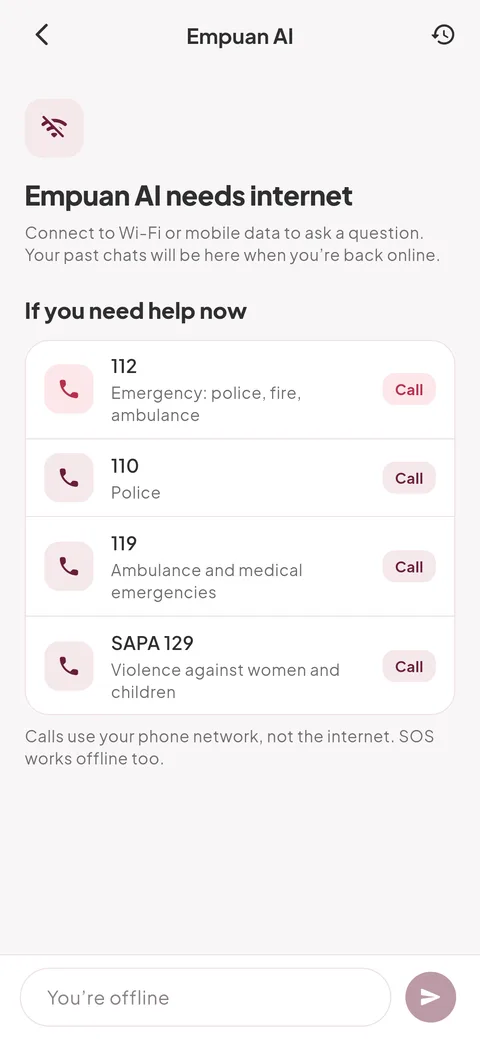
Empuan AI, posting, replies and comments need a connection. Empuan AI shows the emergency numbers instead.
4
Choose what to save
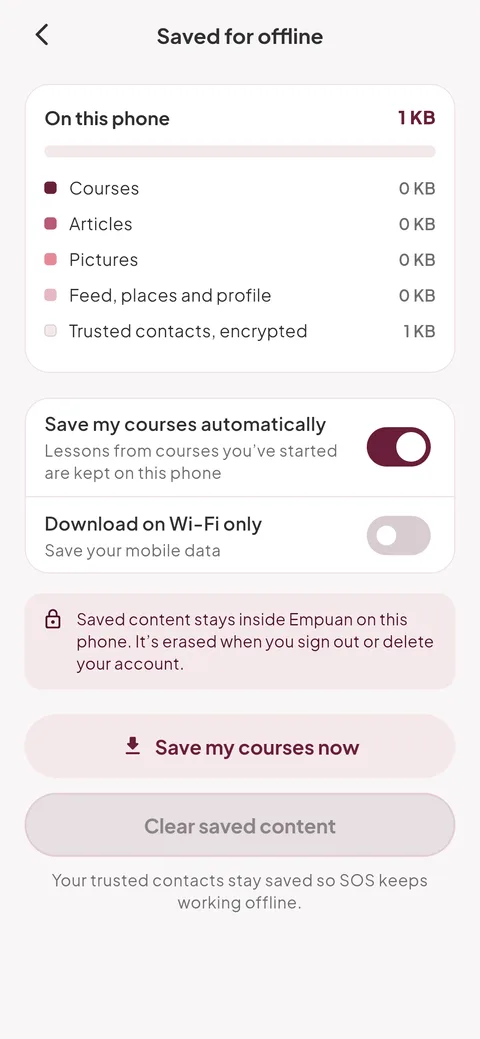
Go to Me › “Saved for offline”. “Save my courses automatically” downloads the courses you’ve started; “Download on Wi-Fi only” saves your data. “Clear saved content” frees space and keeps your trusted contacts.
- Videos aren’t saved; they need internet to play.
Empuan doesn’t contact the police. If you’re in danger, call 112.
Thanks, glad it helped.