Delete your account
Permanently remove your account and its data, in the app or on our website. This can’t be undone.
2 min read Updated 27 October 2026
Steps
1
In the app
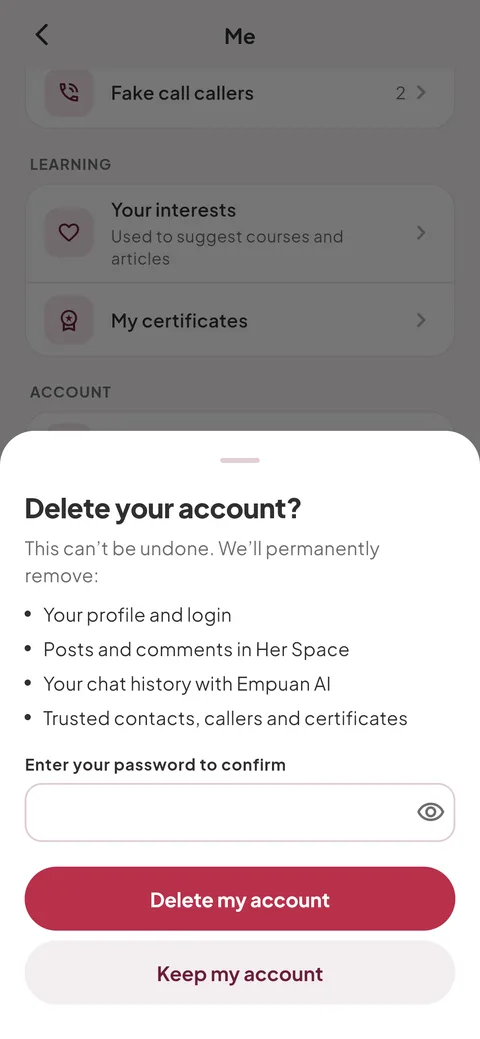
Go to Me and tap “Delete account” at the bottom. Read what will be removed, enter your password and tap “Delete my account”.
2
Without the app
Go to empuanapp.id/delete-account, enter your email and password, tick the confirmation and tap “Delete my account”.
3
What’s deleted
Your profile, Her Space posts and comments, Empuan AI chats, trusted contacts, callers, learning progress and certificates. We delete it right away and don’t keep a copy.
- Want anything? Take screenshots first, for example of your certificates.
Empuan doesn’t contact the police. If you’re in danger, call 112.
Thanks, glad it helped.