Start a course and earn a certificate
Short courses on money, career, digital skills and staying safe. Finish every lesson and quiz to get a certificate.
3 min read Updated 27 October 2026
Steps
1
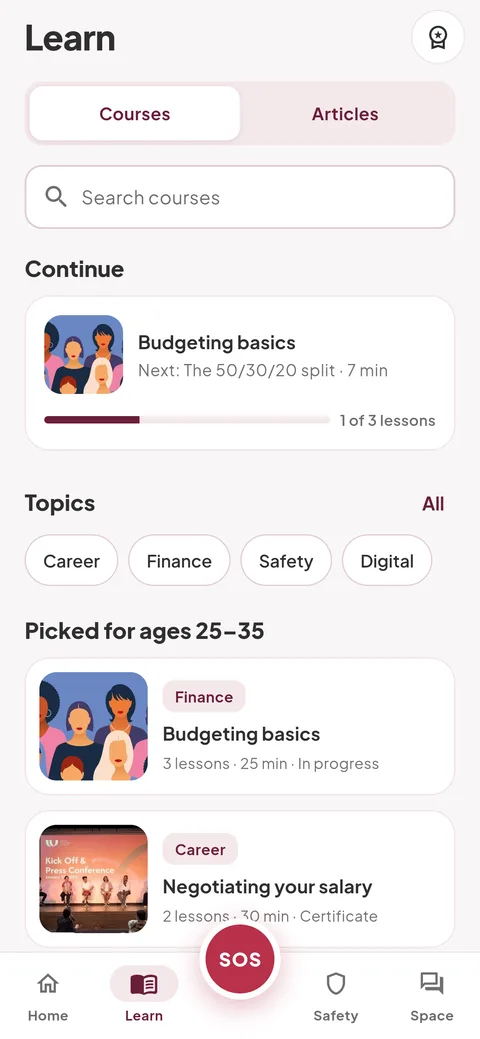
Find a course
Open the Learn tab. Continue a course you started, tap a topic, or use “Search courses”.
2
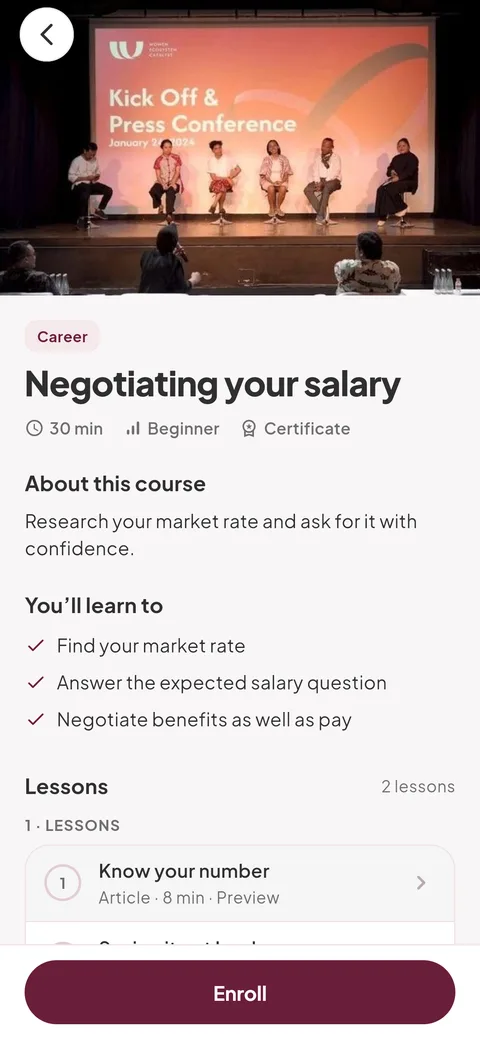
Open it and tap “Enroll”
The course page shows how long it takes, what you’ll learn and its lessons. Lessons marked “Preview” open without enrolling. Tap “Enroll” to save your progress.
- If Empuan asks for your date of birth, add it to see courses. It’s used to confirm you’re 18 or older and is never shown to anyone.
3
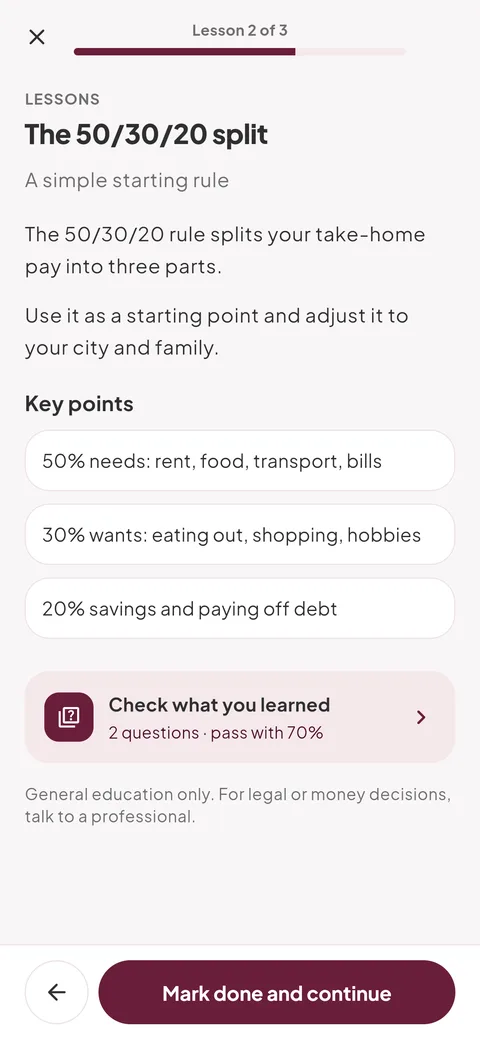
Work through the lessons
Tap “Start” or “Continue” at the bottom. Each lesson ends with “Mark done and continue”.
4
Get your certificate
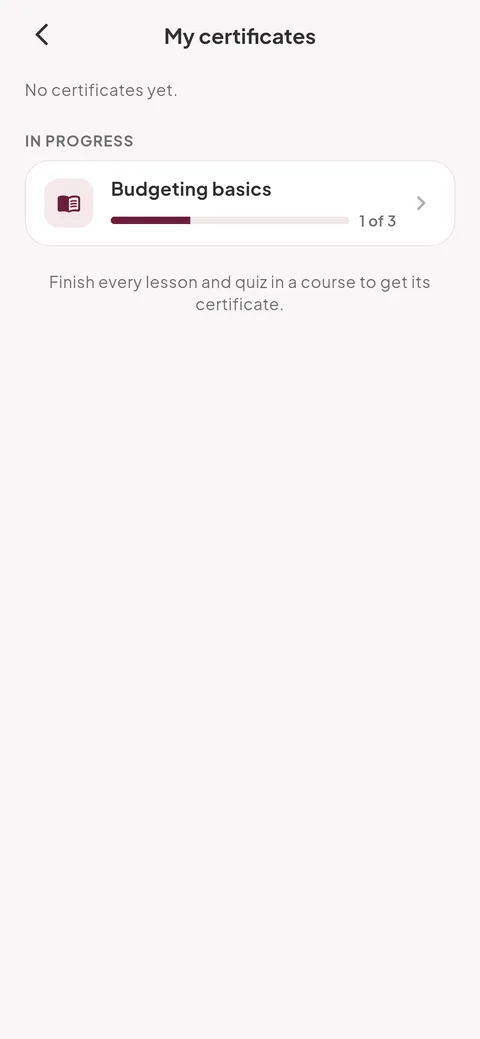
When everything is done, tap “View certificate”. You’ll also find it in Me › “My certificates” and under the certificate icon on Learn. Use “Share” to send it.
- A certificate confirms you finished an Empuan course. It isn’t a professional qualification.
Empuan doesn’t contact the police. If you’re in danger, call 112.
Thanks, glad it helped.