Empuan AI: ask anything, any time
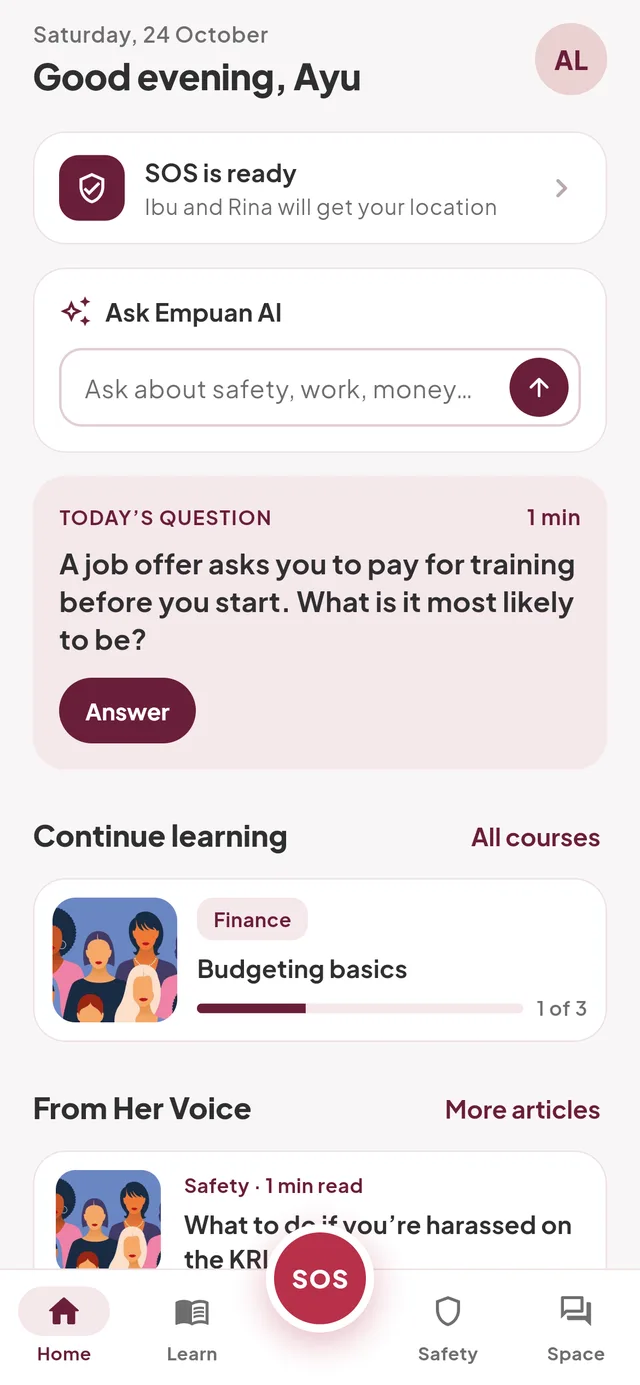
Questions about safety, work or money get a clear answer and a next step: the right course, a help line, or SOS.
Hold SOS to text the people you trust with your location. Learn practical skills, ask Empuan AI, and talk with other women. One free app.
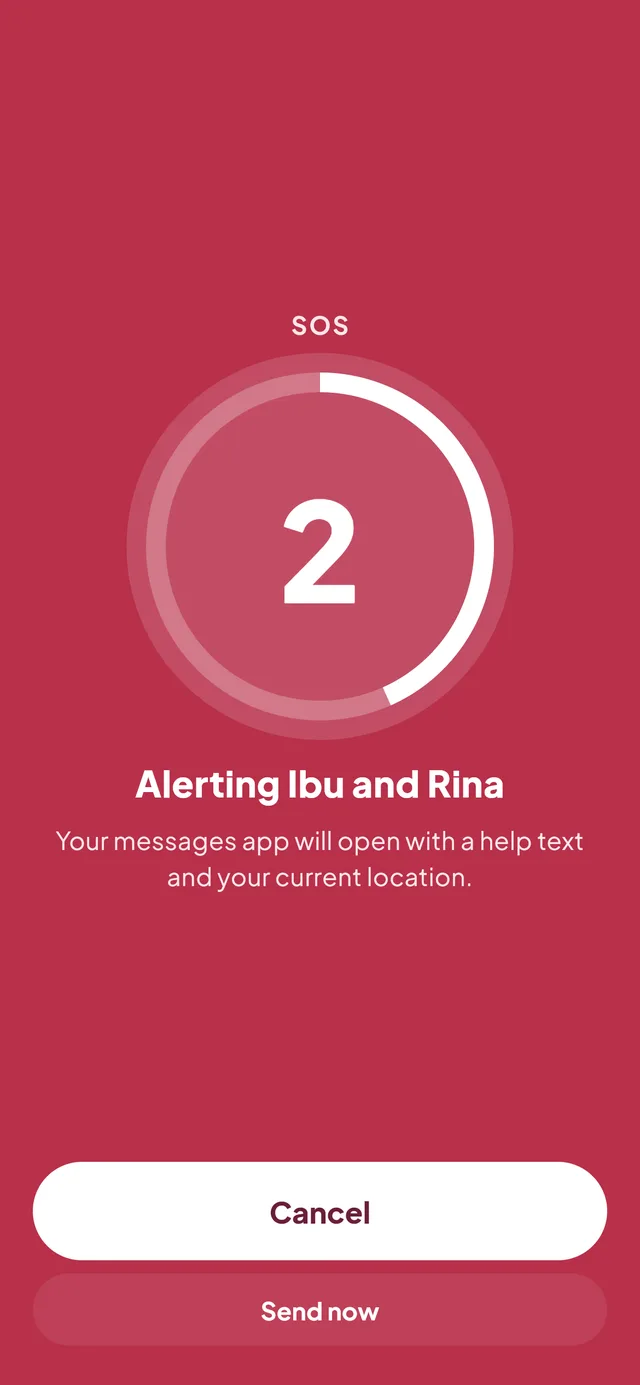
No calls to make, no menus to find. Hold the big red button and the people you trust get a text with where you are.
Hold SOS for 3 seconds
It’s in the middle of the tab bar, on every screen. Let go to cancel.
Your messages app opens
With a help text and your live location, addressed to your trusted contacts.
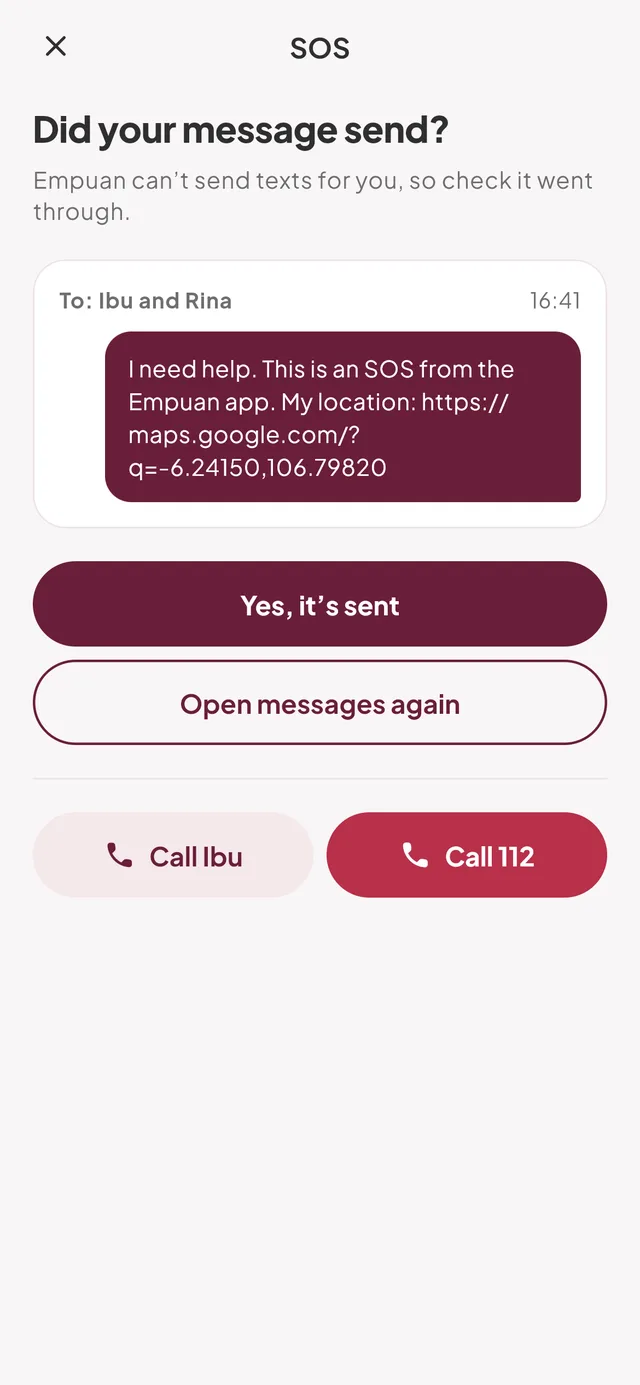
Tap send, then “I’m safe” when it’s over
One more tap lets everyone know you’re okay.
Five tabs, one red button. Built so you can find what you need when your hands are shaking.
Questions about safety, work or money get a clear answer and a next step: the right course, a help line, or SOS.
112, 110, 119 and SAPA 129, one tap away. They work over your phone network, no internet needed.
Money, career, digital skills and staying safe, in lessons of a few minutes. Finish a course and get a certificate.
Ask, share and cheer each other on. Posts are moderated, and you can report or block anyone in two taps.
Draw attention with a loud alarm, or get an incoming call that gives you a reason to leave.
Articles on safety, work and rights, written for women in Indonesia.
Salons, cafés and co-working spaces that welcome women, with hours and directions.
On the KRL, in a basement, or when your data runs out, the parts that matter keep working.
Your trusted contacts are saved on your phone, and GPS finds you without data.
Courses you’ve started download in the background, on Wi-Fi only if you prefer.
112, 110, 119 and SAPA 129 are inside the app, not loaded from the internet.
We collect what Empuan needs to work, and we tell you plainly what that is.
Read when you hold SOS, put in your text, and never sent to our servers or tracked in the background.
We never read your phone book. You pick each contact, and the offline copy on your phone is encrypted.
Report posts, replies or AI answers. Our team reviews every report, and blocking is instant.
Delete your account in the app or on this website. Your data goes right away.
Free on Google Play. Pick a few topics so Empuan can suggest the right courses.
Mum, a sister, a close friend. They don’t need the app, just a phone that gets texts.
The app tour lets you try the hold for real. Nothing is sent, so you’ll know exactly what to do.
Can’t find yours? The guide has step-by-step help, or email support@empuanapp.id.
Yes. Every feature is free, with no ads and no subscription.
No. Empuan opens your messages app with the text and your location filled in, and you tap send. That way it works on any phone and needs no SMS permission. Normal SMS rates apply.
No. SOS goes to the trusted contacts you choose. If you’re in danger, call 112. The button is on the SOS screen and in the Safety tab.
SOS, the siren, fake call, emergency numbers and anything you’ve saved work offline. Empuan AI, Her Space and new content need a connection.
Your posts in Her Space are visible to members. Your contacts, learning progress and AI chats are private to you, though our team may review AI chats to keep answers safe and correct. We don’t sell data. Read the privacy policy.
In the app, go to Me › Delete account. No phone? Delete it on the web with your email and password.
Not yet. Empuan is on Android through Google Play.
Set it up today, practise SOS once, and keep going with your day.
 Scan with your phone